
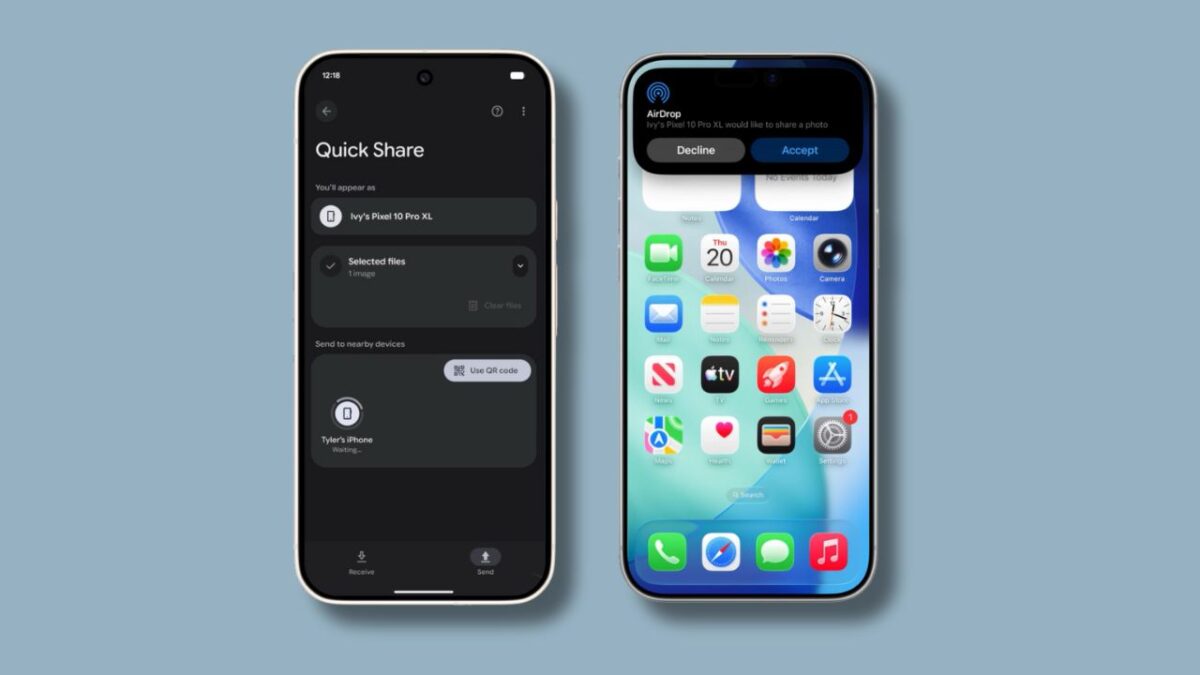

Sharing files between Android and iOS devices has never been easier. What used to be unimaginable is now happening.
Google announced that Android’s Quick Share feature now works with iPhones’ AirDrop for seamless file transfers between the two ecosystems.
A new file transfer feature is now available on he latest Pixel phones: Pixel 10, 10 Pro, 10 Pro XL, and 10 Fold. The feature shall roll out in more Android phones in the future.
For it to work, iPhone users need to set their AirDrop visibility to Everyone for 10 Minutes to receive files from a Pixel 10 device. When receiving a file from an Android device, the iPhone user will see a pop-up notification identical to the standard AirDrop notification and will only need to tap Accept.
The same setup is needed the other way around. Pixel 10 users need to set their Quick Share settings to Everyone for 10 minutes to start receiving files from an iPhone over AirDrop.
Google added that the interoperability between Quick Share and AirDrop was designed with a multi-layered security approach to ensure safety.
The feature utilizes a secure sharing channel, built-in platform protections, and uses direct and peer-to-peer technology.
Google said that the feature will work in Contacts Only mode in the future.