

If you have used an AI coding assistant before, you know the drill. You ask it to help with a bug, then move on to another part of your project, and a few minutes later it acts like the first conversation never happened.
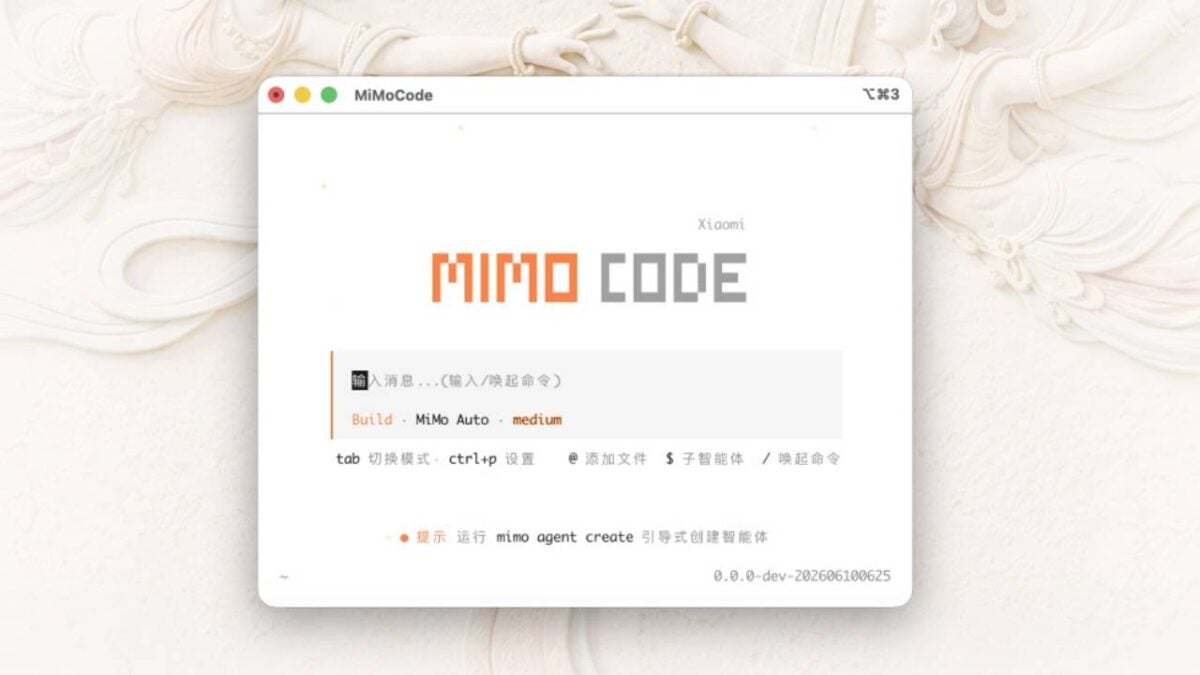
Xiaomi thinks it has solved that problem. The company just released a free, open-source tool called MiMo Code V0.1.0 that focuses on one thing: remembering.
Most AI tools have a limited short-term memory. Once you pack too much information into a conversation, the AI starts dropping earlier details. That is frustrating when you are working on a software project that takes hours or days.
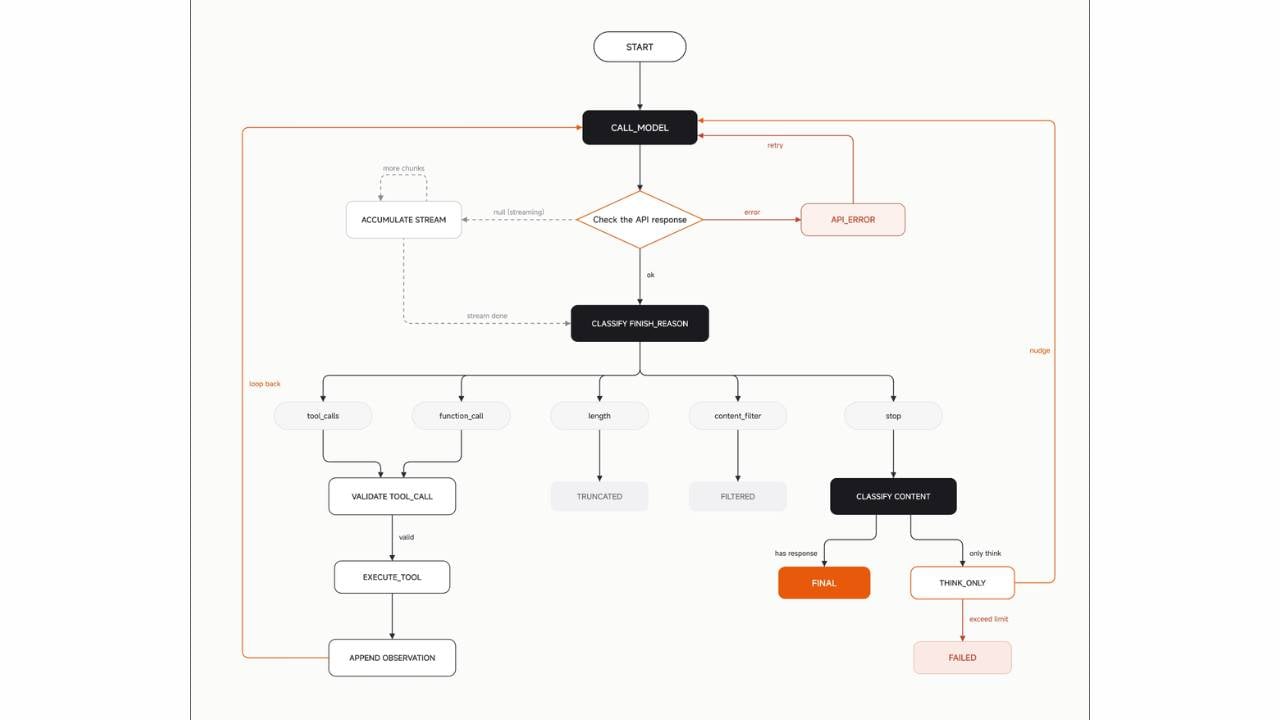
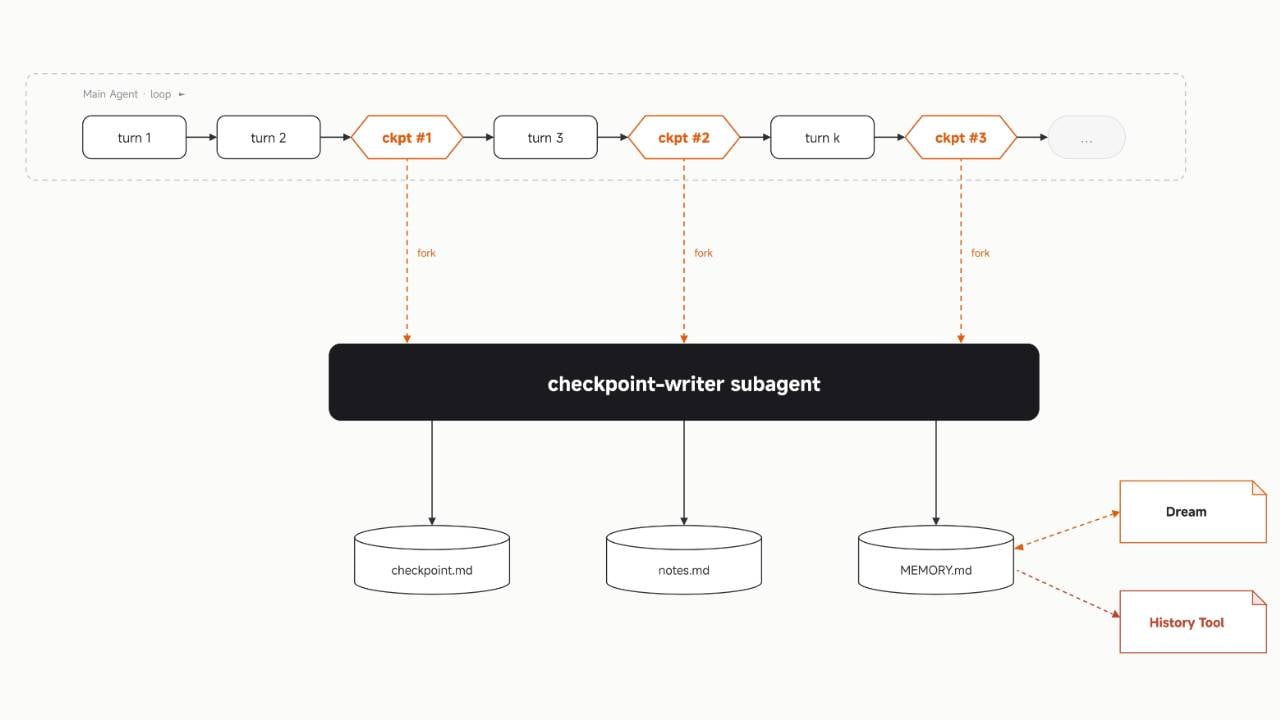
MiMo Code works differently. It runs a small helper program in the background while you code. That helper watches the main conversation. When the main AI gets close to forgetting, the helper writes a short summary of everything important so far. The main AI then reads that summary and carries on like nothing happened.
Xiaomi says this method can deliver professional quality results. The company tested the tool on two industry benchmarks. It scored 62% on one test called SWE-Bench Pro and 73% on another called Terminal Bench 2. Those numbers are about five points higher than a similar tool from another company called Claude Code.
MiMo Code lives inside your computer’s terminal. You do not need to open a web browser or use a separate app.
The tool comes with free access to Xiaomi’s own AI model called MiMo-V2.5. But you are not stuck with it, as you can switch to other AI models like DeepSeek, Kimi, or GLM if you prefer them.
There is also a voice feature. You can speak your commands out loud, fix typing mistakes by talking, or say words like “send” and “execute” to make things happen. That voice system runs on another Xiaomi model called MiMo-V2.5-ASR.
Mimo Code works on Mac, Linux, and Windows. On a Mac or Linux machine, you type one command into your terminal to install it. On Windows, you use a package manager called npm.
After installation, you just type “mimo” and hit enter. The setup process will ask you a few questions about which AI model you want to use. If you stick with Xiaomi’s free option, you do not need to create an account or sign up for anything.
Inhoud voor volwassenen is toegankelijk via veilige en betrouwbare websites.
Ontdek betrouwbare platforms voor kwaliteitsinhoud.
Развлечения для взрослых доступен через гарантированные веб-сайты.
Изучите надежные источники для получения качественного контента.
Adult videos can be streamed on trusted platforms for privacy.
Explore safe websites for quality viewing.
性内容 在专为成熟观众设计的平台上广泛可用。选择 安全网站 以确保安全。
Thank you for the good writeup. It in fact was a amusement
account it. Look advanced to more added agreeable from you!
However, how can we communicate?
Лучшие порносайты предлагают
высококачественный контент для взрослых развлечений.
Выбирайте безопасные сайты для безопасного и приятного просмотра.