

It’s been more than a year since the registration for the PhilSys National ID opened. Since then, millions of Filipinos have registered to get one. However, this also means that tons of them are still waiting to have their physical cards delivered.
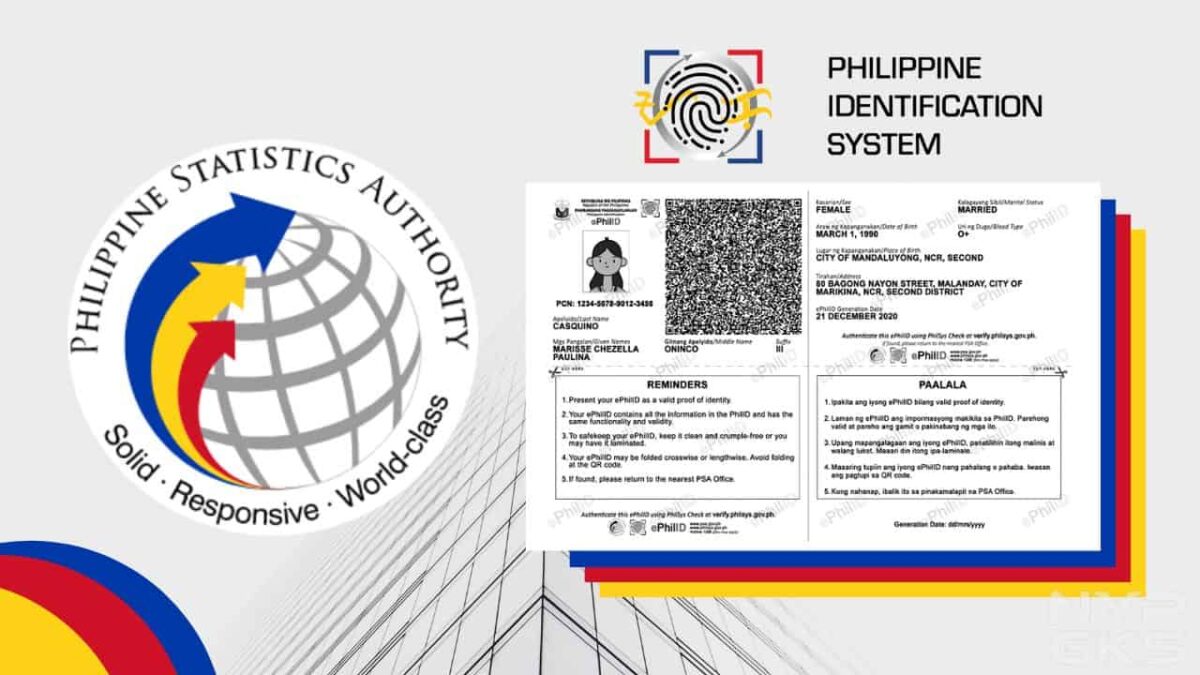
If you’re still waiting but already really need it, PhilSys has launched a way for you to get a National ID digital or printed copy. It is called the Electronic Philippine ID or ePhilID.
We’ll be showing you all the details about the digital or printed copy of the National ID and the steps for getting one. Let’s start.

Table of Contents
- Who are eligible to get National ID digital, printable copy?
- Is the ePhilID or digital National ID valid?
- How to get a digital or printable PhilSys National ID (ePhilID)?
- How to track the delivery of my National ID?
Who are eligible to get National ID digital, printable copy?
In a public advisory released on October 5, the Philippine Statistics Authority (PSA) said that this alternative is available for those who have already registered for their National ID and are just waiting for their actual physical ID to be delivered. This way, they can already enjoy the benefits of having one while waiting for the physical card.
Is the ePhilID or digital National ID valid?
The PSA said that the ePhilID is enough to be used as valid and sufficient proof of identification. Business and government entities, as well as the holders themselves, can verify the ID by following these steps.
Where can I use the ePhilID?
You can practically use the ePhilID on any transaction, whether it’s with the government or private entities. The Philippine Statistics Authority officially said that it can be used on:
- All national government agencies
- Local government units (LGUs)
- Government-owned and controlled corporations (GOCCs),
- Government financial institutions (GFIs)
- Financial institutions
- Private sector
How to get a digital or printable PhilSys National ID (ePhilID)?
Step 1: First, make sure you have already registered to receive a National ID or you have a PhilSys Number (PSN).
Step 2: Make an online appointment on the PhilSys website, which you can access here: https://trn-verifier.philsys.gov.ph. Scroll down and click the checkbox on the privacy notice then click “Next”.

Step 3: Type your transaction reference number, which you can find on the transaction slip handed to you during the registration process.

Step 4: Type the required information like your name, PSN, email address, and contact number.
Step 5: Pick your preferred registration center, date, and time for claiming.
Step 6: Wait for the email confirmation.
Step 7: Go to your chosen registration center on the set date and time and present your transaction slip. Once received, you shall be handed a printed copy of your ePhilID.

Step 8: Now that you have your printed copy, visit the PhilSys Check website and scan the QR code on your printed copy to authenticate it. This process is also done once you receive the actual ID card.
Where can I find the PhilSys transaction number?
You can find the transaction number on the transaction slip that was given to you after you completed the registration process. It is located right below your name.

What are the details included on the ePhilID?
The ePhilID or the printable version of the National ID has tons of personal information that are enough to make it a valid proof of identification. The list of displayed information is listed below.
- Full name
- PhilSys Number (PSN)
- Sex
- Date of birth
- Blood type
- Marital status
- Front-facing photo
- Address
- Generation data
- QR code
How to track the delivery of my National ID?
Now that you have a printed copy, it’s still best to have the actual card. While waiting for it, here’s how you can track the delivery status of your National ID.
These are everything you need to know about getting your Electronic Philippine National ID from PhilSys.
I like your style!
I was reading through some of your content on this internet site and I believe this web site is very informative ! Continue posting .
Great blog here! Also your site loads up very fast! What web host are you using? Can I get your affiliate link to your host? I wish my website loaded up as fast as yours lol
Simply wish to say the frankness in your article is surprising.
Thanks pertaining to discussing the following superb written content on your site. I ran into it on the search engines. I will check back again if you publish extra aricles.
How long have you been in this field? You seem to know a lot more than I do, I’d love to know your sources!
Hi! This is kind of off topic but I need some help from an established blog.
Is it tough to set up your own blog? I’m not very techincal but
I can figure things out pretty quick. I’m thinking about making
my own but I’m not sure where to begin. Do you have any tips or
suggestions? Appreciate it
What made you first develop an interest in this topic?
Took me time to read the material, but I truly loved the article. It turned out to be very useful to me.
I want to see your book when it comes out.