
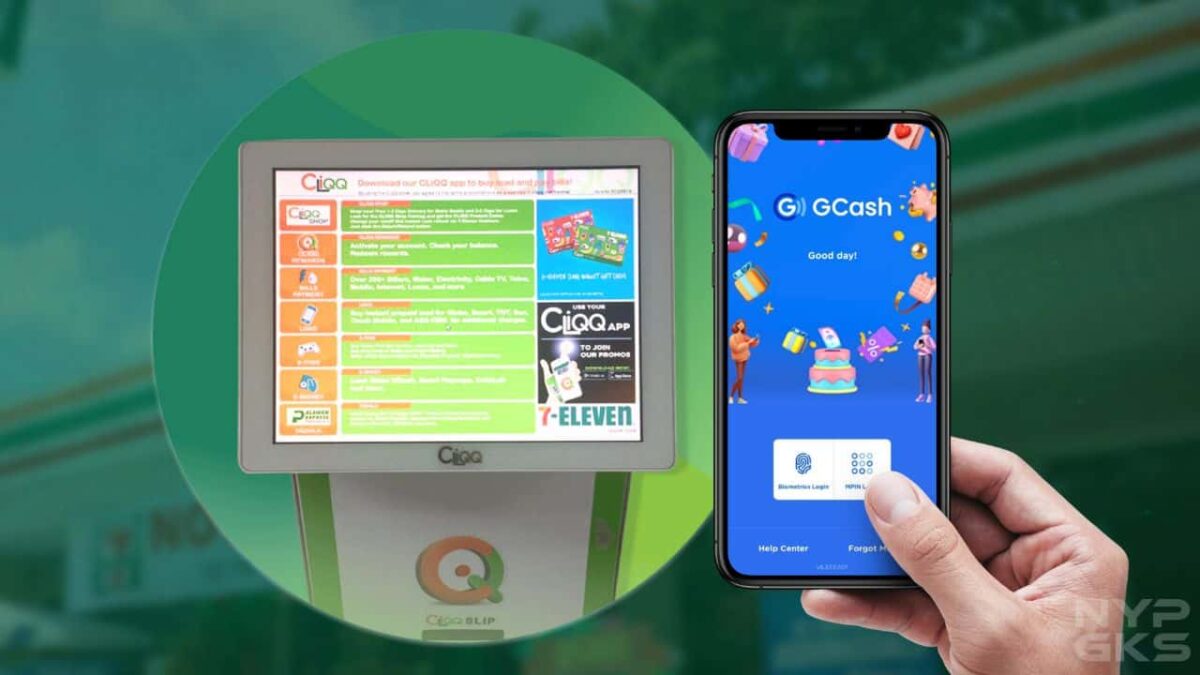
GCash, one of the biggest e-wallet services in the Philippines, has really made it easier to make online payments, settle bills, and money transfers. No need to go through the hassles of transacting with banks, just make sure your account has enough balance and you’re good to go.
Fortunately, there are tons of ways you can top-up your GCash account. One of those is through 7-Eleven convenience stores through CLiQQ.
7-Eleven CLiQQ is quite vast as there are CLiQQ Rewards, Wallet, and Grocery. But to reload your GCash wallet, we’ll be focusing on the CLiQQ Kiosk and CLiQQ app.
We’ll be teaching you how to use both mediums to reload your GCash account, as well as the fees that come with them and other things you must know. Let’s begin.
Table of Contents
- How to cash in on GCash at 7-Eleven
- How much is the GCash 7-Eleven cash-in fee?
- Does GCash still charge 2% on 7-Eleven cash in?
- Is there a limit to GCash 7-Eleven cash in?
How to cash in on GCash at 7-Eleven
To top-up your GCash wallet via 7-Eleven, you’d need to use the CLiQQ Kiosk or CLiQQ app. We’d be detailing the steps below.
GCash cash in via CLiQQ kiosk
Step 1: Visit your nearest 7-Eleven Convenience Store branch and proceed to the CLiQQ Kiosk.
Step 2: On the touchscreen, tap E-Money and choose GCash.

Step 3: Type your GCash registered number. Click Enter.
Step 4: Enter the amount.
Step 5: Confirm that the GCash number and amount are correct. Then, wait for the printed receipt.
Step 6: Take the receipt and present it to the store’s cashier and settle the payment. You shall receive an SMS confirmation that the cash-in has been successful.
GCash cash in via CLiQQ app
Step 1: Download the CLiQQ app available on both Google Play Store on Android and Apple App Store on iOS devices. Once downloaded, open the app and create an account if asked using your mobile number.
Step 2: Tap “Add e-Money”.
Step 3: Key in your GCash-registered mobile number and the amount you want to cash in. Tap “Confirm”.
Step 4: You’ll be presented with a 7-Connect Barcode. Visit your nearest 7-Eleven branch, present the barcode to the cashier, and settle the payment. You shall receive an SMS confirmation that the transaction has been successful.
- MPIN in GCash: How to use, create, and retrieve
- How to report scammers in GCash
- How to pay Meralco bill using GCash
How much is the GCash 7-Eleven cash-in fee?
7-Eleven and CLiQQ is charging a standard convenience fee of 1% per transaction. To make it easier for you, we’ve laid out some of the computations below.
| Cash in | Convenience fee | To be received by user |
| Php100.00 | Php1.00 | Php99.00 |
| Php200.00 | Php2.00 | Php198.00 |
| Php300.00 | Php3.00 | Php297.00 |
| Php400.00 | Php4.00 | Php396.00 |
| Php500.00 | Php5.00 | Php495.00 |
| Php600.00 | Php6.00 | Php594.00 |
| Php700.00 | Php7.00 | Php693.00 |
| Php800.00 | Php8.00 | Php792.00 |
| Php900.00 | Php9.00 | Php891.00 |
| Php1,000.00 | Php10.00 | Php990.00 |
| Php2,000.00 | Php20.00 | Php1,980.00 |
| Php3,000.00 | Php30.00 | Php2,970.00 |
| Php4,000.00 | Php40.00 | Php3,960.00 |
| Php5,000.00 | Php50.00 | Php4,950.00 |
| Php6,000.00 | Php60.00 | Php5,940.00 |
| Php7,000.00 | Php70.00 | Php6,930.00 |
| Php8,000.00 | Php80.00 | Php7,920.00 |
| Php9,000.00 | Php90.00 | Php8,910.00 |
| Php10,000.00 | Php100.00 | Php9,900.0 |
Does GCash still charge 2% on 7-Eleven cash in?
GCash would still charge you a service fee of 2% if you’ve exceeded the monthly Php8,000 limit of over-the-counter cash-ins, which refreshes on the first day of every month.
Any amount that you’d be cashing in beyond Php8,000 is subject to a 2% service fee, which will be automatically deducted from the received amount.
Is there a limit to GCash 7-Eleven cash in?
Cashing in via 7-Eleven is subject to GCash’s standard transaction limits. But essentially, you can send cash in as much as Php100,000 if you’re a fully verified user.
But bear in mind that you’d be charged a 2% service fee after the Php8,000 limit, which refreshes every month.
These are the thing you should know when topping up your GCash e-wallet using 7-Eleven’s CLiQQ service. Have any questions? Share them below and we’ll try to help you out.
Great breakdown of the cash-in process! I love how convenient it is to use GCash at 7-Eleven. The clarity on fees and FAQs really helps. Thanks for sharing this informative post!
This is super helpful! I’ve been looking for an easy way to cash-in to my GCash account, and the step-by-step guide made it so much clearer. I appreciate the breakdown of the fees too; it really helps in planning my budget. Thanks for this informative post!
Great post! I found the step-by-step guide on cashing in through 7-Eleven very helpful. It’s also good to know the fees upfront. This makes managing my GCash account so much easier. Thanks for sharing!
Great post! I found the step-by-step guide on cashing in through 7-Eleven super helpful. It cleared up a lot of my questions about the fees too. Thanks for breaking it down so easily!
Great post! I found the step-by-step process for cashing in through 7-Eleven really helpful. It was also useful to see the breakdown of fees. Do you think GCash plans to expand their partnerships with more convenience stores in the future?
This post is super helpful! I always wondered about the cash-in process for GCash at 7-Eleven and you explained it so clearly. The fee breakdown and FAQs section are particularly useful. Thanks for making it easier for us to understand!
Great post! I appreciate the clear instructions on how to cash-in with GCash at 7-Eleven. The breakdown of fees is really helpful too. I had no idea about some of the FAQs you mentioned—definitely saved me some time. Thanks for the detailed guide!