
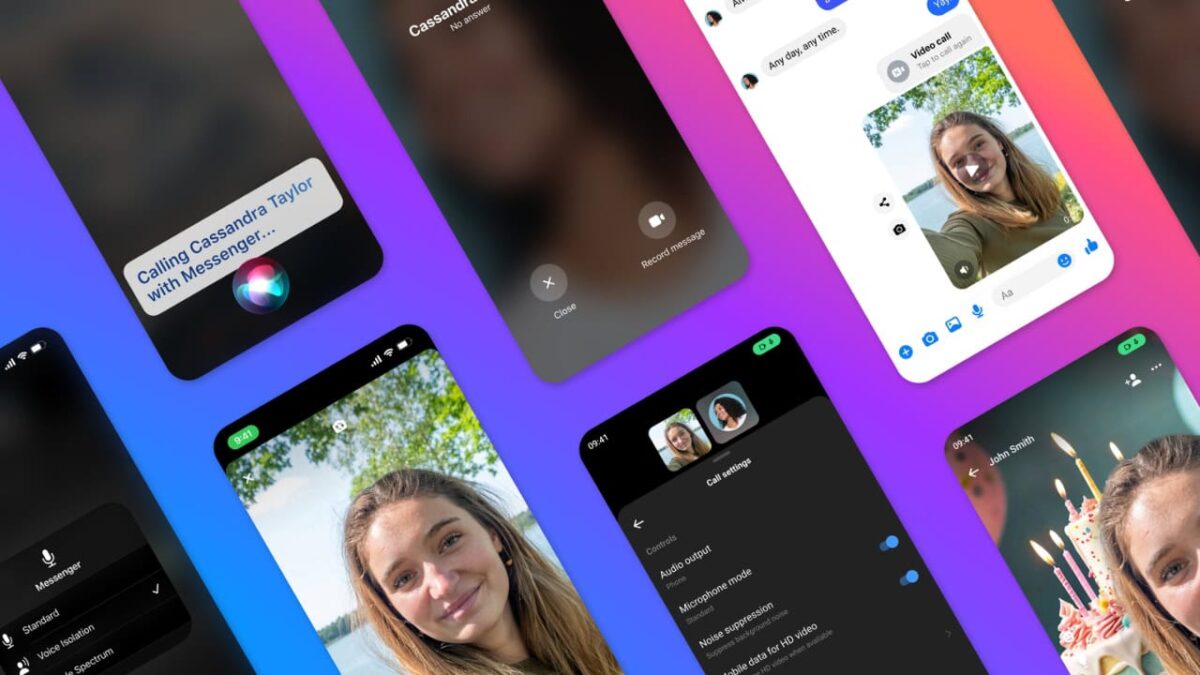
Facebook Messenger, shortened as Messenger, is rolling out a set of new and improved features to Meta’s proprietary messaging platform.
According to Meta, people collectively spend over 7 billion minutes of calls across Facebook and Messenger every day, prompting them to implement additional features to enhance user experience.
Here are some of the Messaging Calling features many users request, making the app easier, more reliable, and more fun.
1. AI Backgrounds in Video Calling

The first innovation is implementing AI-generated images for video calling backgrounds from Meta AI to personalize your experience. You can now change your video call background with AI to reflect your feelings or add a little excitement to the call.
2. HD Video Calls and Noise Suppression
No one likes noisy and unclear video calls, so Meta is introducing high-definition (HD) video calls, background noise suppression, and voice isolation for clearer and better-quality calls in Messenger.
HD will now be the default video setting when the call is made on Wi-Fi connections but must be enabled in the settings if you’re calling through cellular data.
Background noise suppression and voice isolation, on the other hand, can be enabled in the Messenger call settings for clearer audio – no more dog barks or rooster crows in the background.
- Why do people change to the default profile picture on social media?
- How to view unsent messages on Facebook Messenger
- What is Grid Zero? Understanding the new Gen Z Instagram trend
3. Audio and Video Messages
No more “missed calls,” as you can now leave audio or video voice messages when your friends can’t pick up your call by tapping the “Record Message” button for unanswered audio and video calls.
4. Hands-Free Calling and Messaging
Need help with your calls? Just tell Siri. Messenger now allows you to ask Siri to help you with your calls and messages if your hands are full or your phone is out of reach.
Nice post. I learn something totally new and challenging on blogs
I stumbleupon every day. It will always be exciting to read through content from other writers and practice a little
something from their sites.
What a information of un-ambiguity and preserveness of valuable experience regarding unpredicted emotions.
There is definately a great deal to know about this topic.
I really like all the points you’ve made.
Hi are using WordPress for your blog platform? I’m new to the blog world but I’m
trying to get started and create my own. Do you
require any html coding knowledge to make your own blog?
Any help would be really appreciated!
Hey! This is kind of off topic but I need some advice from an established blog.
Is it very hard to set up your own blog? I’m not very techincal but I can figure things
out pretty fast. I’m thinking about setting up my own but I’m not sure where to begin. Do you have any ideas or suggestions?
With thanks
Great post. I was checking constantly this blog and I am impressed!
Extremely useful information particularly the last part :) I care for such info a lot.
I was looking for this particular info for a very long time.
Thank you and best of luck.
I every time used to study article in news papers but now as I am a user of net thus from now I am using net for articles or reviews, thanks to web.