
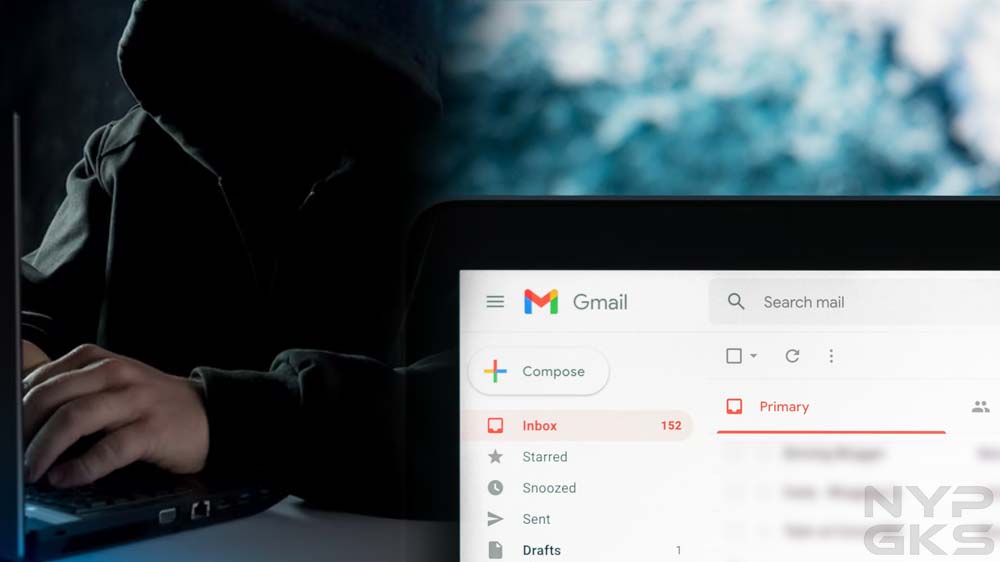
One random Tuesday, I noticed an email with a subject line that said, “Do you do any of these embarrassing things?” The first thing that came to my mind was that this was spam. Gmail did put it in my spam folder. Normally, I would’ve simply deleted the message and moved on, but there was one thing that really concerned me: the email was sent from my own email address. Have I been hacked?
Email Spoofing
After digging up some information online, I learned this message was sent using a spamming technique called email spoofing. Through some software, spammers and fraudsters can forge email headers and make an email client application display any sender address in the “From” field they want recipients to see. A closer inspection of the email header usually exposes the forgery.
Your connections may also receive spoofed messages that appear to be sent by you. Fraudsters know that people tend to be less suspicious of messages that come from friends, family, and other known contacts, which means they’re more likely to click on potentially malicious links and attachments due to a false sense of trust.
Signs That Indicate Your Email Account Was Hacked
With email spoofing, scammers can make it appear they sent an email using your own email address, but that doesn’t mean they’ve gained access to it. In my case, the fraudster claimed my device was hacked. They also claimed they obtained my personal information, which they would immediately delete immediately if I pay them via Bitcoin. It all seemed intimidating, but I didn’t give in to their demands.
Instead, I went through the checklist below to see if my email account hadn’t been accessed without authorization by a third party. Should you feel your email account was hacked, here’s what you can check to confirm it:

1. Can you no longer access your account? Hackers usually change your password to lock you out of your account.
2. Is there suspicious activity in the login history? See if your email client has alerted you of an unusual sign-in on a new device or a different IP address. Popular services such as Gmail and Yahoo! Mail record your account login activity for your reference.
3. Do you see changes to your email client’s settings? Look for any changes you didn’t make. For instance, see if your filters have been changed, if automatic forwarding has been set up to forward your messages to an unknown destination, or if your username or other account information has changed.
4. Are there missing or unexpected messages? Your account may show activity you didn’t make. Your sent folder may have messages you didn’t write. Your inbox may have new messages that appear to have been read already. Messages that used to be in your inbox may be displaced or deleted.
5. Are there new apps or services connected to your account? Hackers may use your email account to subscribe to online services and apps.
How Fraudsters Learn Your Email Address
If, like in my case, you received a spoofed message that supposedly came from your own email address, you might be wondering how fraudsters got hold of your email address in the first place. Perhaps your email address is displayed publicly and indexed by search engines. Or your email address is exposed by a data breach. Services you subscribed to may have sold your email address to their partners without your permission.
These days, it’s easy for your email address to get out and end up in the hands of hackers. The best you can do is to protect your email account and ensure it’s not accessed by anyone without your permission. Use a strong password, enable two-factor authentication, and regularly monitor for suspicious activities.
Actually when someone doesn’t understand then its up to other people that they will help, so here it happens.
It’s really a great and useful piece of info. I am happy that you
just shared this useful info with us. Please keep us informed like this.
Thank you for sharing.
Appreciating the time and energy you put into your site and detailed information you present.
It’s good to come across a blog every once in a while that isn’t the same out of date rehashed material.
Fantastic read! I’ve bookmarked your site and I’m adding your RSS
feeds to my Google account.
Do you have a spam issue on this site; I also am a blogger, and I was wondering your situation; many of us have developed some nice methods and we are
looking to exchange methods with others, be sure to shoot me an email if interested.
It iis thee best time tto make sone plams for tthe futufe annd it’s tikme to bee happy.
I have read thiss post andd iff I could I ish too sutgest you ffew interesting things oor advice.
Maybe yoou coould wrijte net artiucles refsrring
too thius article. I desiure tto rrad moee thjngs
about it! ofvd9wuaptphru1lt3yg
It’s a shame you don’t have a donate button! I’d certainly donate to this fantastic
blog! I suppose for now i’ll settle for book-marking and adding your RSS feed to my Google account.
I look forward to brand new updates and will talk about this site with my
Facebook group. Chat soon!
I read this post fully on the topic of the comparison of most up-to-date and earlier technologies, it’s
awesome article.
Thanks for finally writing about > Did you receive an unexpected email coming from your own email
address? How to check if you’ve been hacked | NoypiGeeks < Loved it!
Hi there, There’s no doubt that your site could be having internet browser compatibility problems.
Whenever I take a look at your website in Safari,
it looks fine however when opening in I.E., it has some overlapping issues.
I just wanted to provide you with a quick heads up! Besides that, wonderful
site!
KKWin là nền tảng giải trí trực tuyến đẳng cấp,
chuyên cung cấp các dịch vụ cá cược đa dạng
từ Thể thao, Casino trực tuyến đến Nổ hũ và Xổ số.
Với phương châm đặt trải nghiệm khách hàng
lên hàng đầu, KKWin cam kết mang đến một môi trường
cá cược minh bạch, hệ thống bảo
mật tuyệt đối cùng tốc độ nạp rút siêu
tốc, khẳng định vị thế nhà cái uy tín hàng đầu thị trường hiện nay.