


Playing Call of Duty Mobile (CODM) with your friends versus random gamers is always fun. But what if you don’t want strangers in your matches and just want to play with people you know, 1v1 style? We’ll teach you how.
Being one of the most popular mobile shooter games in the world, there’s no surprise that Call of Duty Mobile has been flocked by tons of players — even the toxic ones. This is why some players, and we’re guessing also you, want to have 1v1 matches for a cleaner and quieter gaming experience.

Related
Considering the large number of features this game has, CODM developer Activision decided to bury the 1v1 match options on the game’s settings. Today, we’ll help you find it. Let’s start.
How to create a private room on COD Mobile
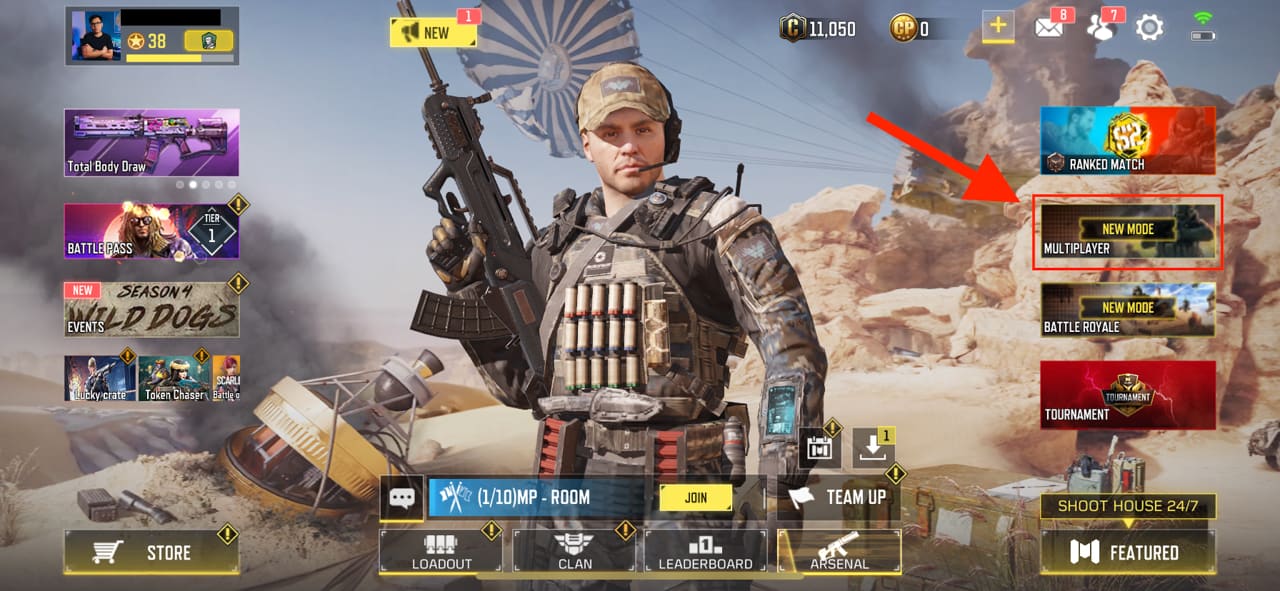
Step 1: Before you can create a 1v1 match, you should first create a private room. To do so, you have to open the game and tap the Multiplayer button on the right side of the screen.
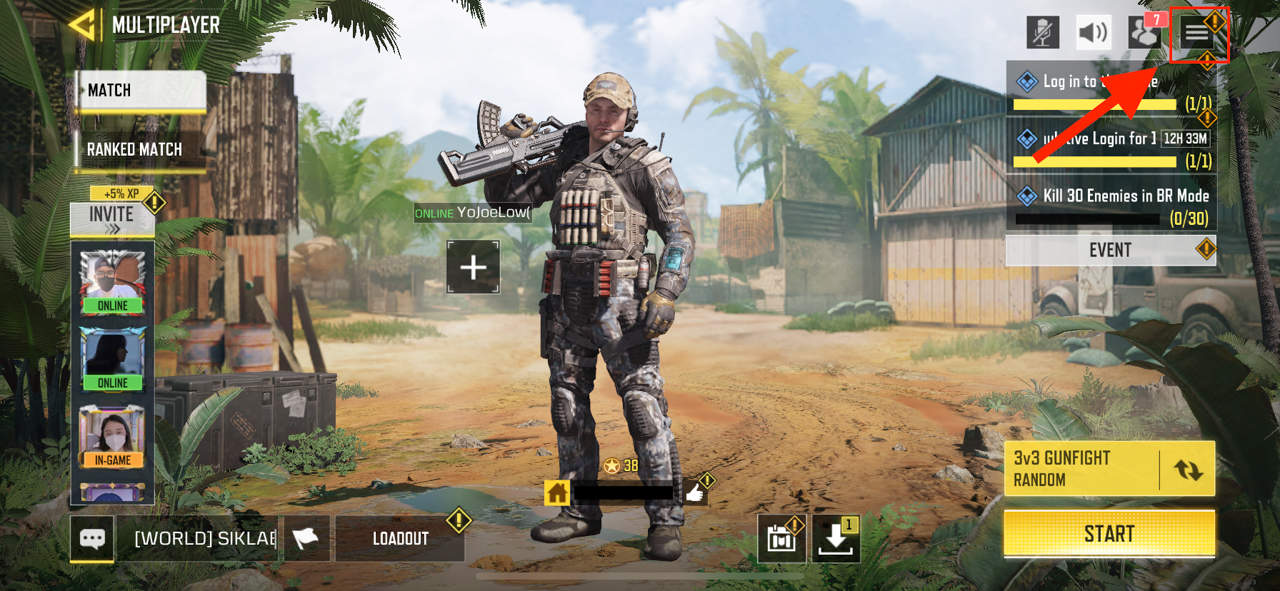
Step 2: Click the menu icon in the top right corner.
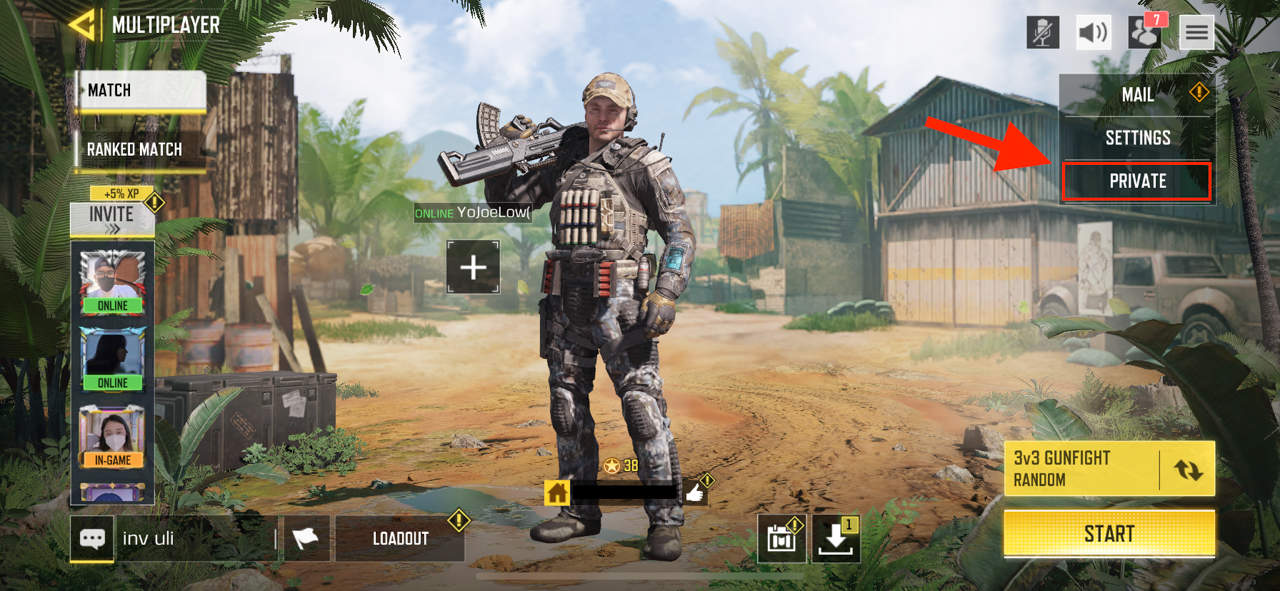
Step 3: Tap Private. Now you have created a Private multiplayer session and can proceed to creating a 1v1 battle if you choose to.
How to play a 1v1 match on COD Mobile
Make sure you’ve already created a private room since we’re starting right after that. If you haven’t already, follow the steps above.
Step 1: In the private multiplayer screen, click the game mode settings in the bottom right corner.
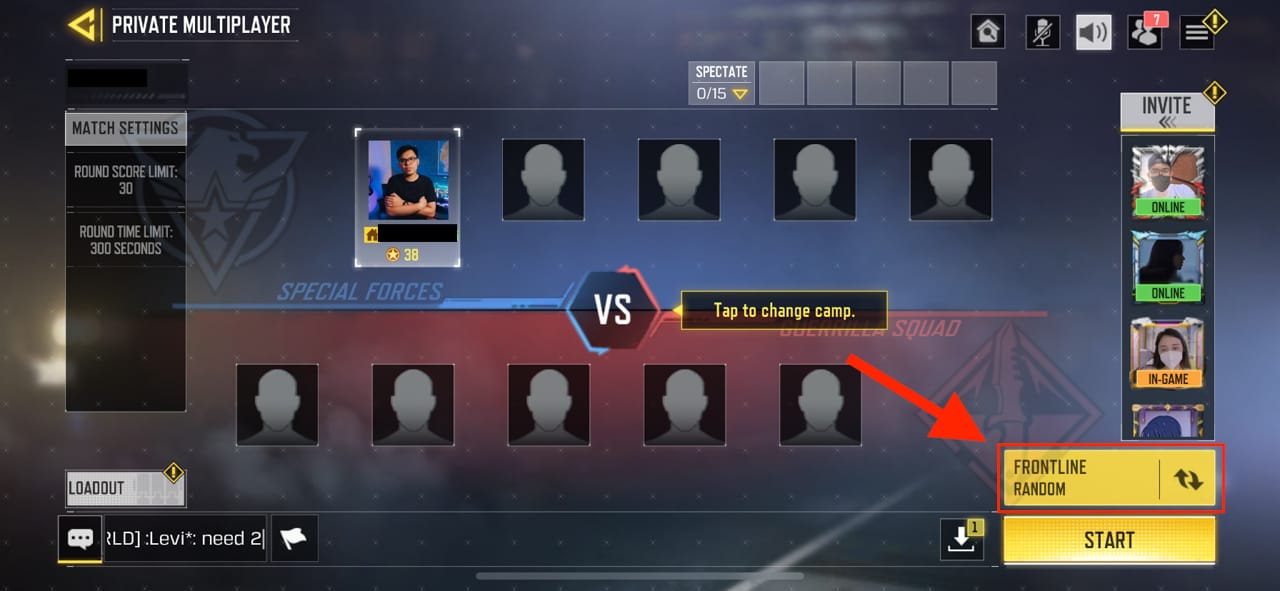
Step 2: Scroll to the right and look for the 1v1 Duel option. It’s a little far up there so just keep scrolling. Once you find it, tap it and tap Confirm.
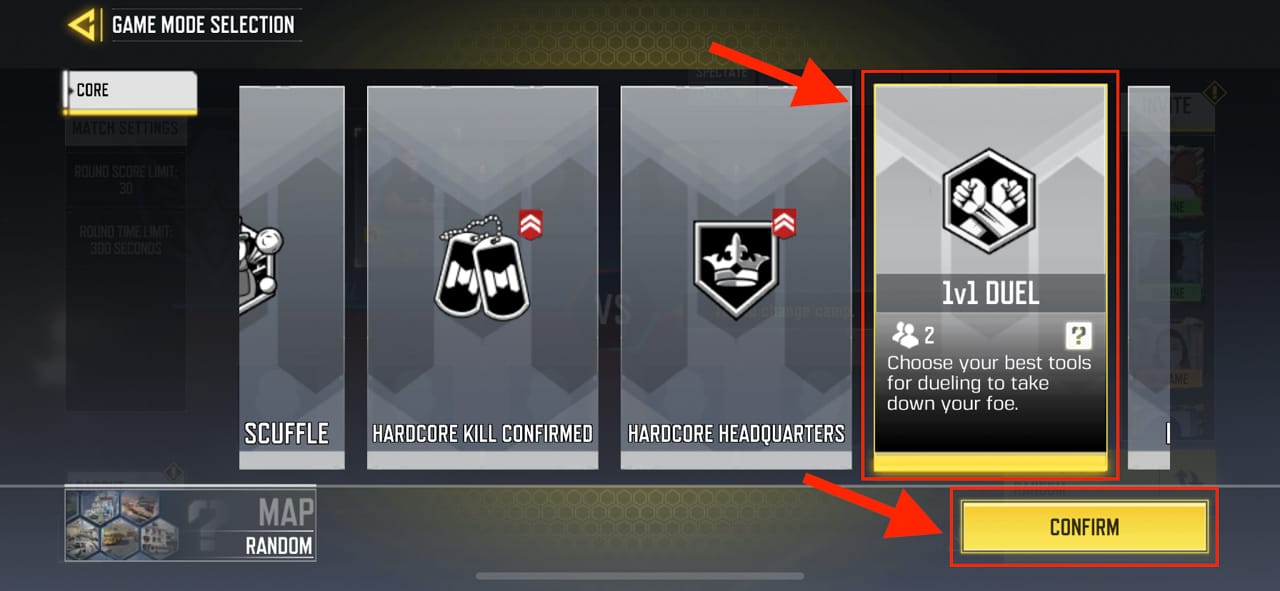
Step 3: On the left side of the screen, choose the player you want to invite. Then, click Start to begin the match.
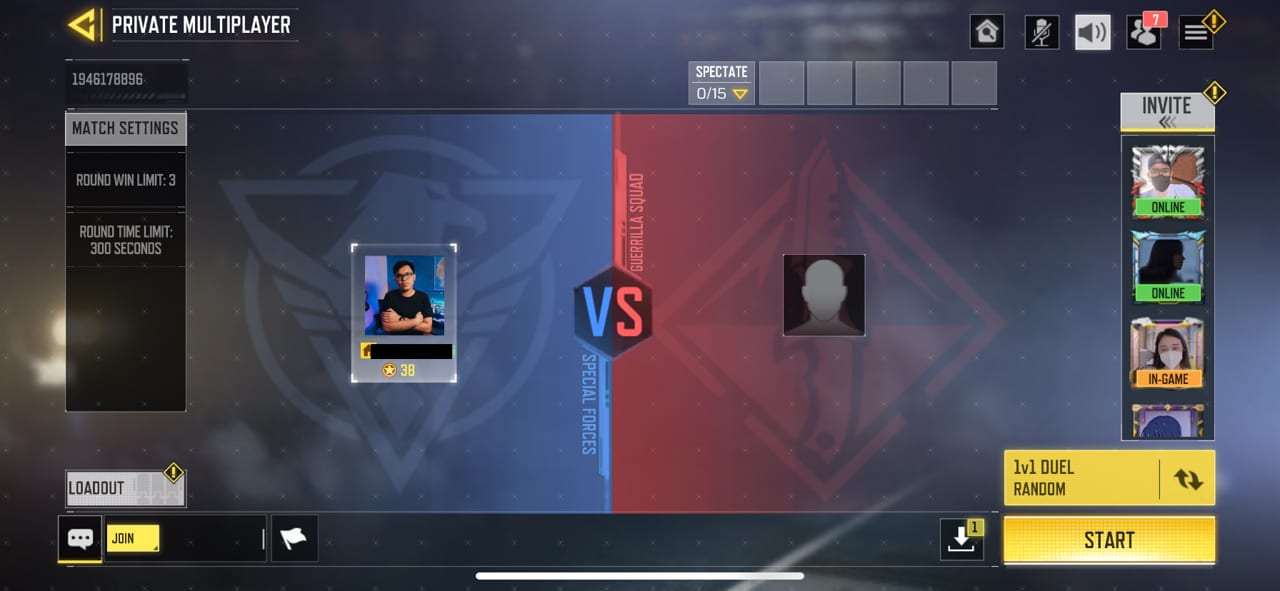
Before starting the game, you also have the option to switch between special forces and guerrilla squad, change loadout, and configure other settings before starting.
That’s it. Play the game with close friends or family members and have a good time.
Great guide! I’ve been wanting to improve my 1v1 skills, and these tips are super helpful. The part about map awareness really stood out to me. Can’t wait to try out some of these strategies in my next match!
This guide is super helpful! The tips on weapon choices and map strategies really gave me an edge in my 1v1 matches. Can’t wait to try out the loadouts you suggested. Thanks for sharing!
Great tips! I especially appreciated the strategies for map control in a 1v1 match. Can’t wait to try them out in my next game!
Great tips! I never knew about the importance of choosing the right loadout for 1v1 matches. Can’t wait to try out the strategies you mentioned in my next game!
Great tips for 1v1 matches! I especially liked the suggestion about adjusting sensitivity settings for better aiming. Can’t wait to try these strategies in my next game. Thanks for sharing!
Thanks for the detailed guide! I found the tips on map strategy really helpful. Can’t wait to try out the loadouts you suggested. Keep the gaming tips coming!
Great tips! I’ve been wanting to step up my 1v1 game, and your strategies really helped clarify some tactics I can use. I especially liked the part about map control; I’ll definitely apply that in my next matches. Thanks for the insights!
Great tips on setting up a 1v1 match! I’ve been wanting to improve my skills and this guide really breaks it down. Excited to try out those strategies in my next game!
Great tips! I’ve been wanting to improve my 1v1 skills, and this guide really helped me understand the strategies better. Can’t wait to try out the recommended loadouts in my next matches!
Great guide! I love how you broke down the strategies for 1v1 matches. The tips on controlling the map and weapon selection were especially helpful. Can’t wait to try these out in my next match!