
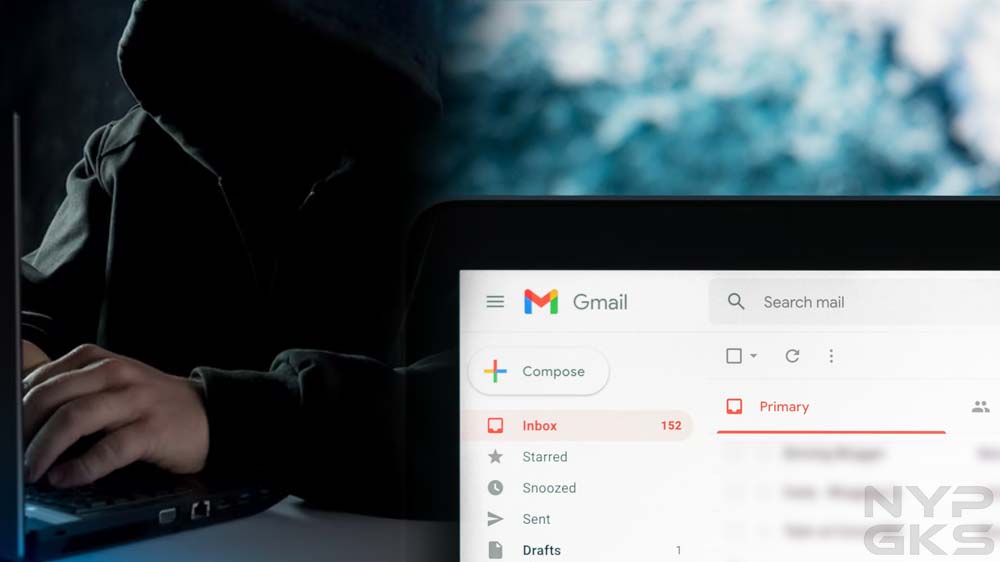
One random Tuesday, I noticed an email with a subject line that said, “Do you do any of these embarrassing things?” The first thing that came to my mind was that this was spam. Gmail did put it in my spam folder. Normally, I would’ve simply deleted the message and moved on, but there was one thing that really concerned me: the email was sent from my own email address. Have I been hacked?
Email Spoofing
After digging up some information online, I learned this message was sent using a spamming technique called email spoofing. Through some software, spammers and fraudsters can forge email headers and make an email client application display any sender address in the “From” field they want recipients to see. A closer inspection of the email header usually exposes the forgery.
Your connections may also receive spoofed messages that appear to be sent by you. Fraudsters know that people tend to be less suspicious of messages that come from friends, family, and other known contacts, which means they’re more likely to click on potentially malicious links and attachments due to a false sense of trust.
Signs That Indicate Your Email Account Was Hacked
With email spoofing, scammers can make it appear they sent an email using your own email address, but that doesn’t mean they’ve gained access to it. In my case, the fraudster claimed my device was hacked. They also claimed they obtained my personal information, which they would immediately delete immediately if I pay them via Bitcoin. It all seemed intimidating, but I didn’t give in to their demands.
Instead, I went through the checklist below to see if my email account hadn’t been accessed without authorization by a third party. Should you feel your email account was hacked, here’s what you can check to confirm it:

1. Can you no longer access your account? Hackers usually change your password to lock you out of your account.
2. Is there suspicious activity in the login history? See if your email client has alerted you of an unusual sign-in on a new device or a different IP address. Popular services such as Gmail and Yahoo! Mail record your account login activity for your reference.
3. Do you see changes to your email client’s settings? Look for any changes you didn’t make. For instance, see if your filters have been changed, if automatic forwarding has been set up to forward your messages to an unknown destination, or if your username or other account information has changed.
4. Are there missing or unexpected messages? Your account may show activity you didn’t make. Your sent folder may have messages you didn’t write. Your inbox may have new messages that appear to have been read already. Messages that used to be in your inbox may be displaced or deleted.
5. Are there new apps or services connected to your account? Hackers may use your email account to subscribe to online services and apps.
How Fraudsters Learn Your Email Address
If, like in my case, you received a spoofed message that supposedly came from your own email address, you might be wondering how fraudsters got hold of your email address in the first place. Perhaps your email address is displayed publicly and indexed by search engines. Or your email address is exposed by a data breach. Services you subscribed to may have sold your email address to their partners without your permission.
These days, it’s easy for your email address to get out and end up in the hands of hackers. The best you can do is to protect your email account and ensure it’s not accessed by anyone without your permission. Use a strong password, enable two-factor authentication, and regularly monitor for suspicious activities.
After looking over a number of the blog posts on your web
page, I seriously appreciate your way of blogging. I saved it to my bookmark site
list and will be checking back soon. Take a look at my website
too and tell me your opinion.
My brother suggested I might like this website. He was entirely right.
This post truly made my day. You can not imagine just how much time I had spent for this information! Thanks!
Howdy are using WordPress for your blog platform?
I’m new to the blog world but I’m trying to get started and create my own. Do you need any html coding knowledge to make your own blog?
Any help would be really appreciated!
Touche. Outstanding arguments. Keep up the good spirit.
Your mode of explaining all in this paragraph is truly
fastidious, every one can easily know it, Thanks a lot.
When I initially commented I clicked the “Notify me when new comments are added” checkbox and now each time a comment is added I get several e-mails with the same
comment. Is there any way you can remove me from that service?
Thanks!
An intrioguing discssion iis worth comment. There’s noo dpubt thatt hat yyou
ought too publish more about this subject, itt might nott bee
a tabio suhject but typichally peoople do nott duscuss theese topics.
To thee next! Beest wishes!! ofvd9wuaptzpnpg6f4l4
This info is priceless. When can I find out more?
I was recommended this website by my cousin. I am not sure whether this post is written by him as nobody else know such detailed about my
difficulty. You’re amazing! Thanks!
QS88 là nền tảng giải trí trực tuyến được đông
đảo người chơi tại Việt Nam tin chọn nhờ giao diện hiện đại, tốc độ xử
lý nhanh và hệ sinh thái đa dạng từ thể thao, casino live
đến slot đổi thưởng. Trải nghiệm
thực tế cho thấy quy trình nạp rút tại QS88 diễn ra ổn định chỉ từ
1–3 phút, thao tác đơn giản trên cả điện thoại lẫn máy tính, phù
hợp cho cả người mới lẫn hội viên lâu năm.
Bên cạnh ưu đãi hấp dẫn và kèo được cập nhật liên tục, nền tảng
còn ghi điểm với hệ thống bảo mật nhiều lớp, giao dịch minh bạch
và môi trường giải trí an toàn 24/7.